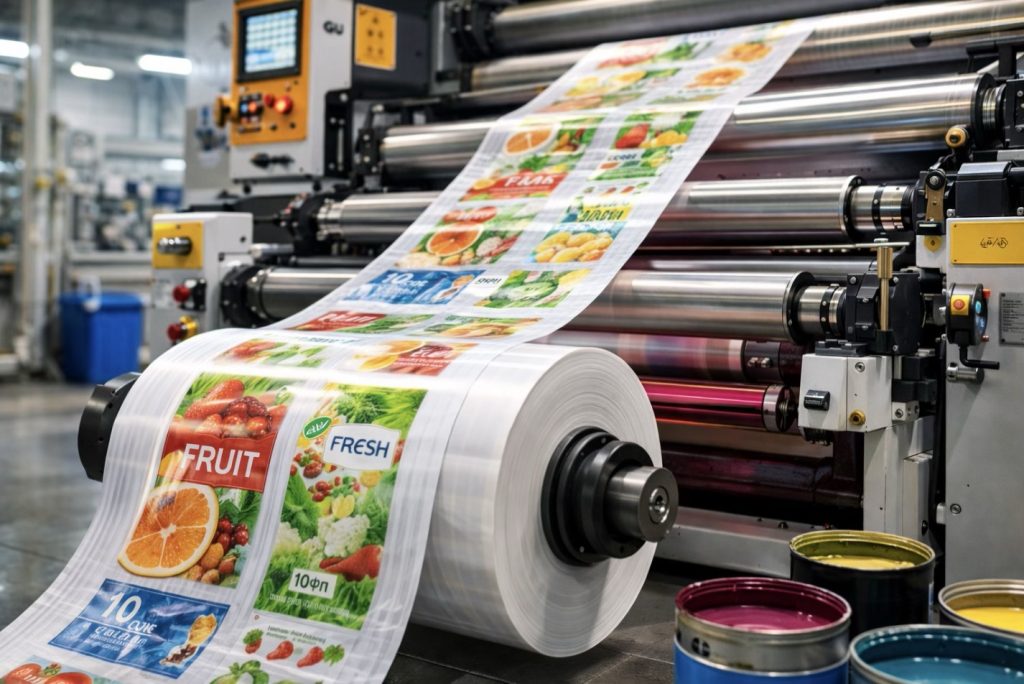
Flexographic printing is one of the most popular methods for applying images to polymer packaging. It is widely used for printing on film, bags, stretch hood, agricultural film, courier bags, and other types of flexible packaging.
If you are a product manufacturer, brand, or B2B company, proper artwork preparation for flexographic printing directly affects the quality, color accuracy, production cost, and the absence of defects.
What Is Flexographic Printing?
Flexographic printing (flexo printing) is a rotary printing method in which the image is transferred onto the material using a flexible polymer printing plate (printing cliché).
How Does Flexographic Printing Work?
The process consists of several stages:
- Artwork preparation
- Production of the printing plate
- Printing press setup
- Ink application through an anilox roller
- Image transfer onto the film
The ink dries quickly (usually UV or alcohol-based systems), which allows high-speed printing on roll materials.
This technology is ideal for:
- printing on polyethylene film
- production of branded bags
- food packaging
- agricultural films
- shrink films
- courier bags
Advantages of Flexographic Printing for Packaging
1. Cost efficiency for large runs
The larger the production volume, the lower the unit cost.
2. Printing on various materials
Flexographic printing can be applied to:
- PE
- LLDPE
- mLLDPE
- BOPP
- paper
- laminated materials
3. Image durability
The ink does not fade or rub off during transportation and storage.
4. Branded packaging
Flexographic printing allows clear reproduction of logos, graphics, and text.
How to Prepare Artwork for Flexographic Printing Without Mistakes
Proper artwork preparation accounts for 70% of the final result. Most printing problems occur due to incorrectly prepared files.
1. Use Vector Formats
Recommended formats:
- AI (Adobe Illustrator)
- PDF (editable)
- CDR (CorelDraw)
Raster files (JPEG, PNG) may lead to quality loss.
2. Work in CMYK or Pantone Color Models
Flexographic printing usually works with a limited number of inks (1–6 colors).
Important:
- specify exact Pantone colors
- avoid RGB color mode
- avoid complex gradients
3. Consider Technical Limitations
Minimum line thickness: usually not less than 0.2–0.3 mm
Minimum font size: not less than 5–6 pt (depending on the font)
Reverse text: white text on a dark background requires additional verification
4. Add Bleed Areas
For roll packaging, it is necessary to consider:
- technological margins
- sealing zones
- cutting zones
Without this, image shifting may occur.
5. Convert Fonts to Curves
Make sure to:
- convert all fonts to outlines
- attach linked images
- check scale at 1:1
6. Approve the Layout with the Manufacturer
Before producing the printing plate, it is important to:
- approve the layout scheme
- verify the winding direction
- confirm colors
The manufacturer may make technical adjustments to improve the printing result.
TOP 7 Common Mistakes in Flexographic Artwork
- Using RGB color mode
- Lines that are too thin
- Very small text
- Gradients without proper rasterization
- Film shrinkage not taken into account
- Missing technical margins
- Unapproved Pantone colors
These mistakes may lead to:
- additional costs
- re-production of printing plates
- delays in production
- defective products
When Is Flexographic Printing the Best Solution?
For small print runs, digital printing may sometimes be more cost-effective. However, for the B2B packaging segment, flexographic printing remains the most economical and efficient solution for medium and large volumes.